What Image Size Should You Use on a Website?
ImageRW Guide · Practical image workflow
There is no universal image dimension for every website. A useful starting point is the largest display size the image actually needs.
Quick takeaways
- Separate pixel dimensions from file size when making decisions.
- Start from the largest useful display area, not the original camera resolution.
- Check the result on the real page and on mobile.
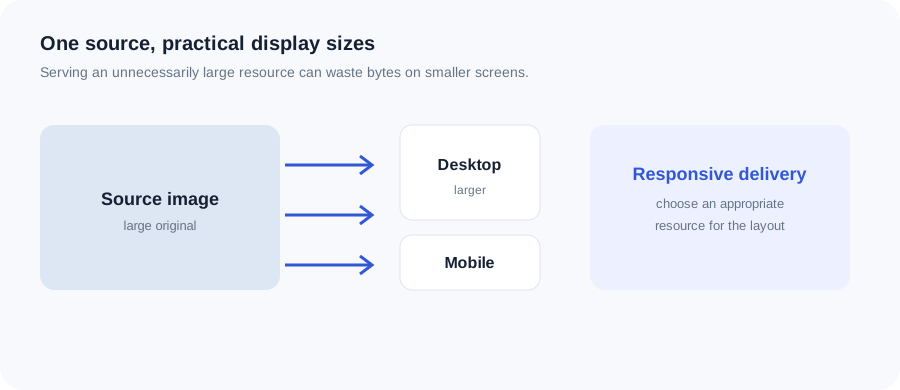
Original ImageRW diagram: What Image Size Should You Use on a Website?.
Start with the layout
Look at the largest area where the image appears. A blog thumbnail, full-width hero and product gallery can need very different dimensions.
Separate pixels from file size
Pixel dimensions describe the image grid. File size also depends on format, compression and image content. Two images with the same dimensions can have very different byte sizes.
Avoid unnecessary oversized sources
Uploading a huge image for a small display area can waste bandwidth. A practical workflow creates a derivative close to the largest useful display size.
Think about responsive delivery
Desktop and mobile layouts may display an image at different widths. Responsive image techniques can allow a browser to select a more appropriate resource.
Retina and high-density screens
High-density screens can make higher-resolution resources useful in some contexts, but doubling every image blindly can also increase bytes unnecessarily. Test the actual layout and use case.
Check the real page
The final decision should be made in context: inspect the image on desktop and mobile and verify that important details remain readable.
A quick sizing method
- Measure the image slot in the page design.
- Decide whether the image needs to serve multiple display widths.
- Generate an appropriately sized source instead of uploading an oversized original everywhere.
- Compress the copy after choosing its dimensions and format.
- Inspect the real page rather than judging the file in isolation.
Frequently asked questions
What is a good image width for a blog?
It depends on the content column and theme. Start from the actual rendered width rather than a universal number.
Should I upload the largest image possible?
Usually not. Use a source large enough for the largest intended display, not dramatically larger without a reason.
Do image dimensions affect SEO?
They can affect performance and user experience, which are relevant to a healthy website, but there is no single magic dimension that guarantees rankings.
Image content varies. Test representative files, keep the original and judge the output in the context where people will actually see it.