How to Prepare Product Images for Shopify
ImageRW Guide · Practical image workflow
Product images have two jobs: show the item clearly and fit naturally into the shopping experience.
Quick takeaways
- Standardize aspect ratio and framing before processing a large catalog.
- Inspect product details at the size shoppers actually see.
- Confirm the store workflow before adopting a new format at scale.
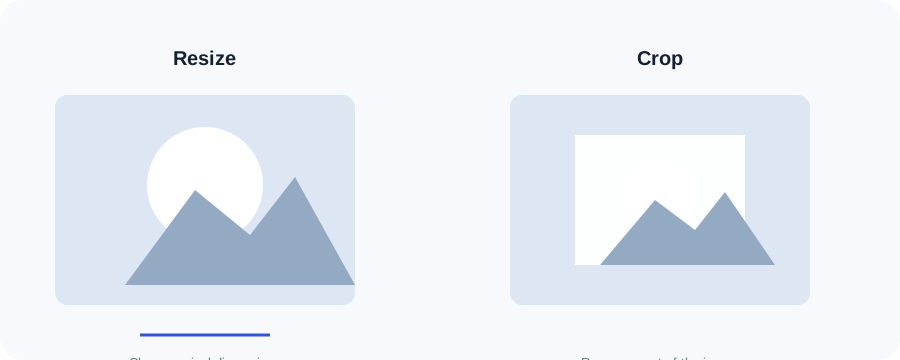
Original ImageRW diagram: How to Prepare Product Images for Shopify.
Standardize your catalog
Consistent aspect ratios, backgrounds and framing make product grids easier to scan. Decide on a repeatable image style before processing a large catalog.
Start from the original
Create derivatives from the best available source. Avoid repeatedly enlarging or recompressing files that have already lost detail.
Crop before resizing when needed
If a product is surrounded by unnecessary space, cropping can improve composition before you choose final dimensions.
Preserve important detail
Texture, labels and small product features can disappear under aggressive compression. Inspect images at the size shoppers will actually see.
Use practical formats
JPG and WebP can be useful for photographs. Transparent product cutouts may need a format that preserves alpha information. Follow the requirements of the store workflow.
Review mobile product pages
The image that looks perfect in an admin preview still needs to work in the actual product page on a narrow screen.
A repeatable product-image workflow
- Choose a representative original product photo.
- Standardize the composition and crop across similar products.
- Resize to the largest practical display dimensions for the store.
- Use an appropriate web format while preserving important product detail.
- Review thumbnails, product pages and mobile layouts before applying the same process across the catalog.
Frequently asked questions
Should product images all have the same dimensions?
Consistent framing and aspect ratio usually make a catalog more coherent, but the exact dimensions depend on the store design.
Should product photos be JPG or WebP?
Both can be useful. Compare the actual output and confirm the store's workflow.
Does cropping improve product image SEO?
Cropping itself is not an SEO trick; it can improve presentation and consistency, which helps the page serve its purpose.
Image content varies. Test representative files, keep the original and judge the output in the context where people will actually see it.