Image SEO Basics: File Names, Dimensions, Formats and Alt Text
ImageRW Guide · Practical image workflow
Image SEO is not just about putting keywords in a filename. Useful images support the page topic, load appropriately and remain understandable to people using assistive technology.
Quick takeaways
- Use descriptive filenames and useful alt text only when they genuinely describe the image.
- Choose dimensions and formats for the actual page context.
- Do not treat filenames or alt text as substitutes for relevant visual content.
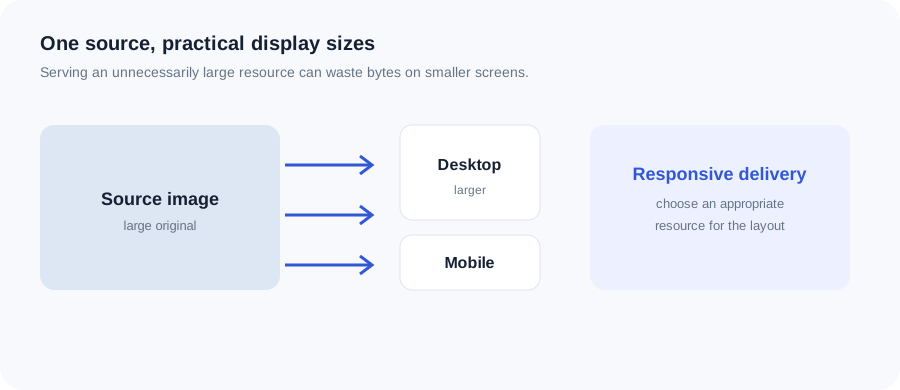
Original ImageRW diagram: Image SEO Basics: File Names, Dimensions, Formats and Alt Text.
Use descriptive filenames
A filename such as black-office-chair.jpg communicates more than IMG_4832.jpg when it genuinely describes the image. Keep names natural and avoid stuffing repeated keywords.
Write useful alt text
Alt text should describe meaningful image content or function when the image contributes information. Decorative images may need different treatment. The goal is accessibility, not keyword repetition.
Match the image to the page
A relevant image in a useful section is more valuable than a generic stock image added only because the page needs a picture.
Choose sensible dimensions and formats
Large unnecessary resources can waste bytes. Choose a format and dimension that fit the actual display context.
Use context
Captions, surrounding text and headings can help explain why an image matters. A product photo, chart or instructional diagram should be understandable in the section where it appears.
Avoid misleading image optimization
Changing a filename or alt text cannot make an unrelated image relevant. Start with genuinely useful visual content.
A small image SEO checklist
- Use a descriptive filename that reflects the image.
- Write alt text for images that communicate information.
- Do not use alt text as a keyword list.
- Choose dimensions that fit the page instead of serving an unnecessarily huge source.
- Keep the image visually relevant to the surrounding content.
Frequently asked questions
Should every image have alt text?
Meaningful images generally need appropriate alternative text, while decorative images can be handled differently.
Should keywords be repeated in alt text?
No. Describe the image naturally and only when the description is useful.
Do image filenames affect rankings?
Descriptive filenames can help communicate context, but they are only one small part of a broader page and image experience.
Image content varies. Test representative files, keep the original and judge the output in the context where people will actually see it.